 hover
hoverDocsUsing Hover
Answers
How agent answers render: Markdown, tables, code, diffs and Mermaid flowcharts, plus replying, queueing and pausing a run.
Answers show as formatted Markdown: headings, lists, tables, checklists, code, images and links. ```mermaid flowcharts are drawn as diagrams; other Mermaid kinds show as code.
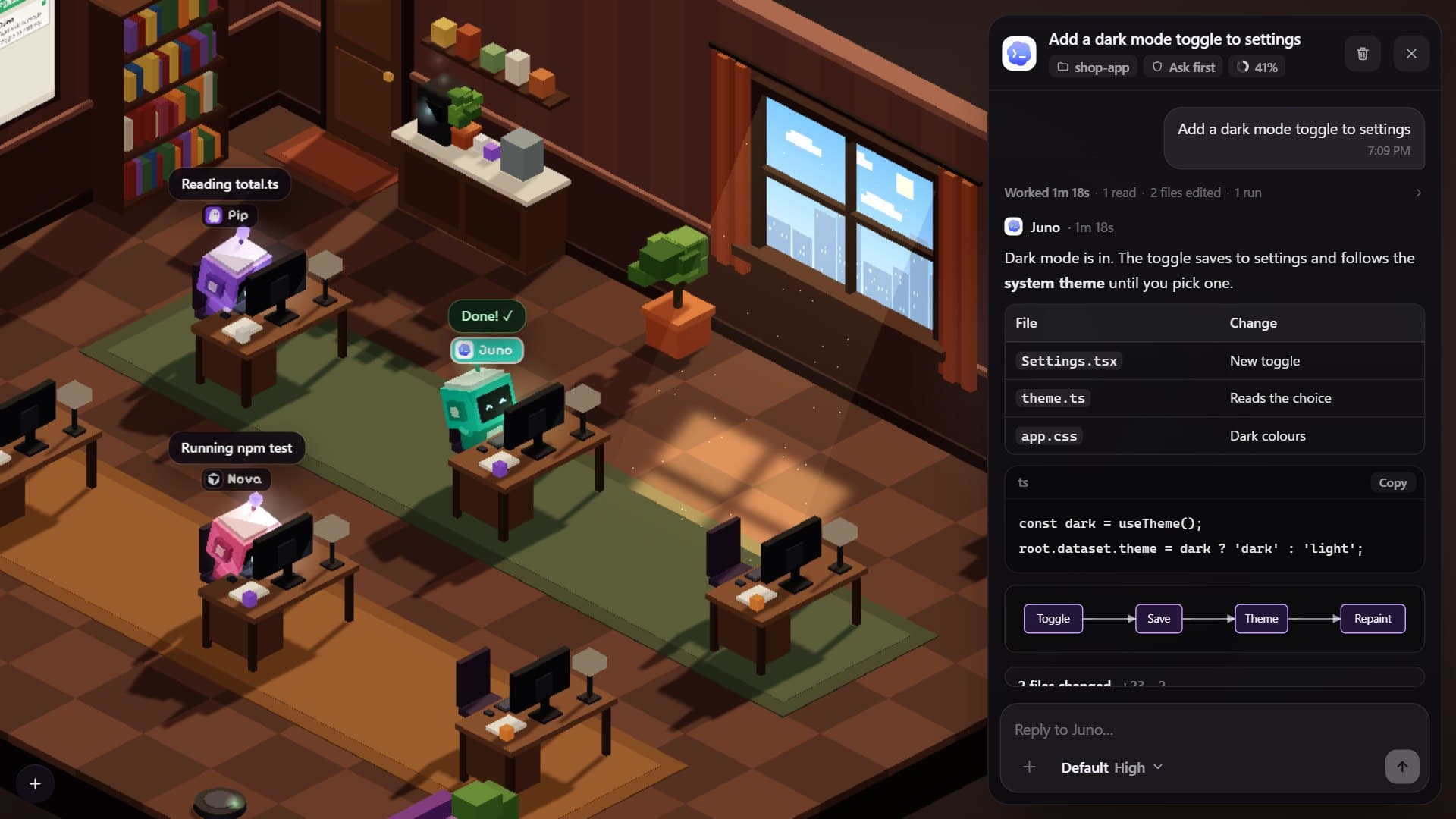
- Code is colour-coded, diffs carry line numbers, and command output shows the real exit code.
- Only what the agent reports. The thinking, the subagents and the changed files in the chat are the ones the agent actually sent. Nothing is invented.
- Thoughts and tool runs stay open while the agent works and fold when it is done. If you fold or unfold one yourself, Hover leaves it as you left it.
- The changed files are listed under the answer, with Copy and Retry. Where Hover kept a checkpoint, Try again takes Retry’s place.
- Under an answer, Restore and Try again go back in time; see Checkpoints.
- Hover escapes everything the agent wrote and draws only its own markup, so an answer can’t inject HTML or script.
- Links open in your browser. Images in the session’s folder load right in the answer.
Reply, queue and pause
- The composer’s round button sends, queues a reply while a run goes, or stops the run when the box is empty.
- Replies sent during a run wait their turn, each with its own Cancel.
- Pause stops the answer being written now. The next queued reply starts once the agent confirms the stop.
- The model pill in the composer sets the tool’s default model and effort, as Settings does.